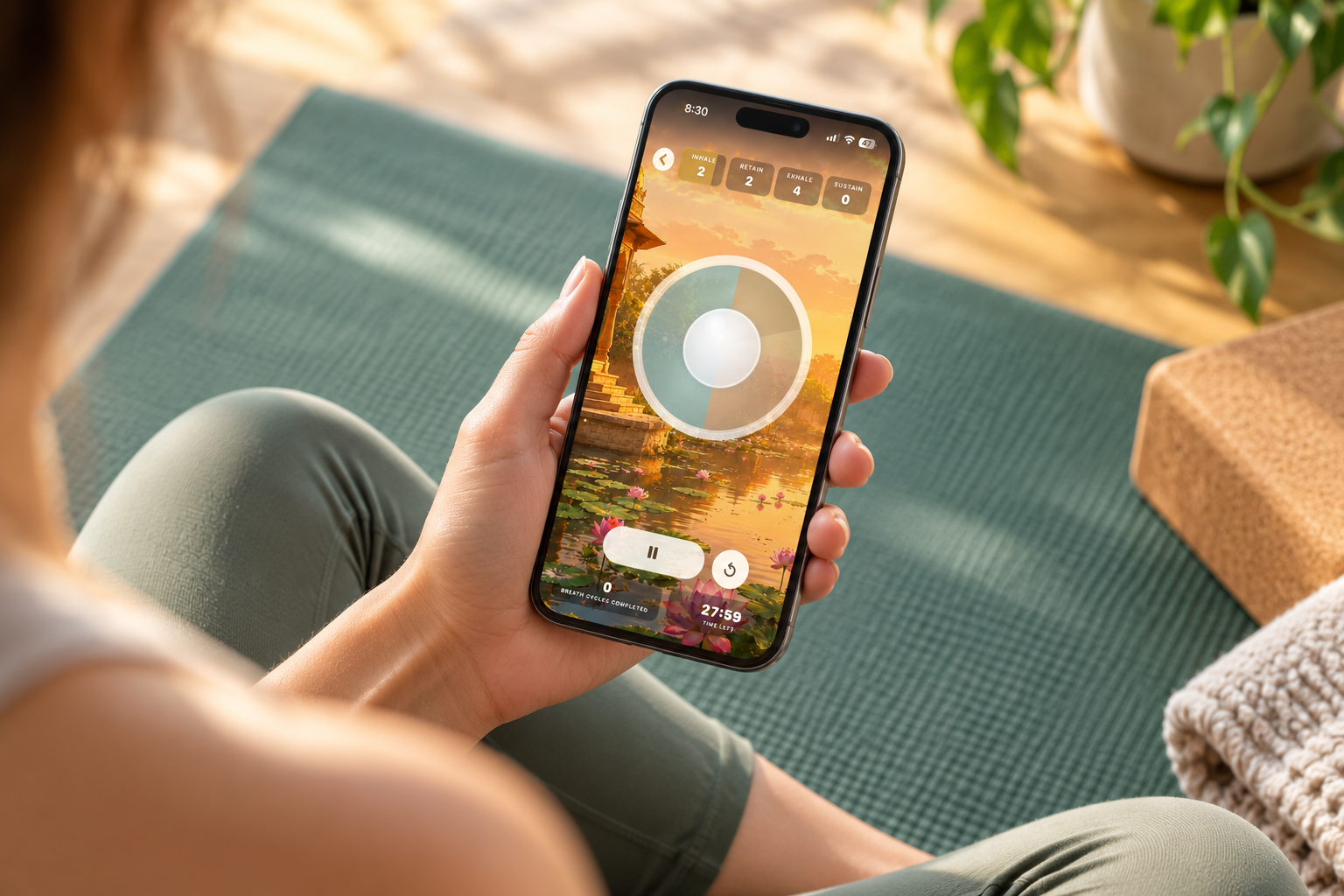
Universal Breathing App
A modernized mobile experience that helps users learn breathing techniques, build a consistent practice, and progress from simple exercises to more advanced breathing patterns.
ROLE
UX/UI Designer
FOCUS
UX Redesign · Mobile UI · Interaction Design · Visual Design
PLATFORMS
iOS · 20,000+ users
The Challenge
Universal Breathing is based on the ancient practice of pranayama, which involves regulating the breath through specific patterns of inhaling, retaining, exhaling, and pausing.
Unlike a simple breathing timer or quick relaxation tool, the app is designed to help users train their breathing over time. It includes progressive courses, customizable breathing patterns, guided sessions, and practice tracking.
The redesign needed to make that depth easier to understand without oversimplifying the practice itself.
The challenge was to create an experience that feels approachable for someone just beginning breath training while still giving experienced users the control and flexibility they expect.
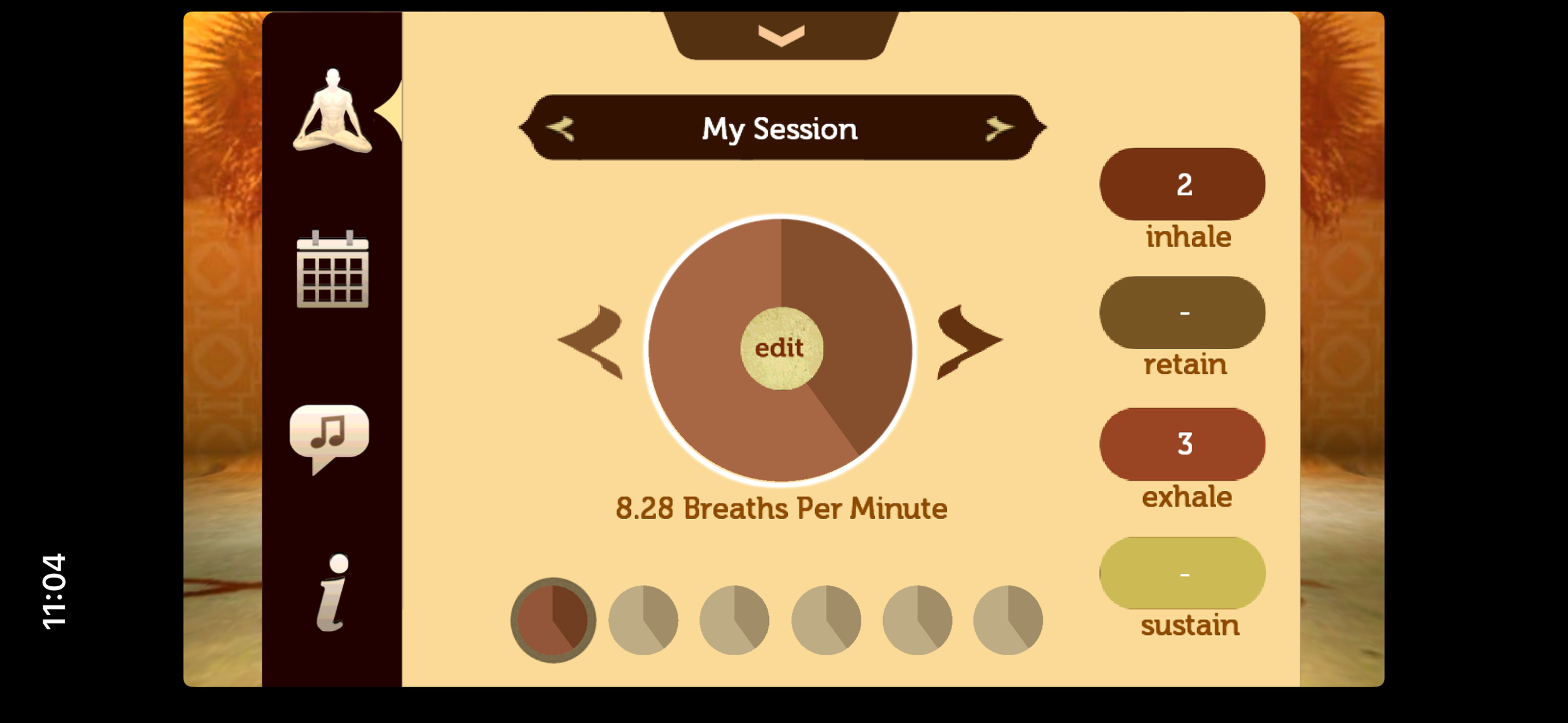
Previous UI
My Approach
Assess
Identify opportunities in the existing experience to improve hierarchy, clarity, navigation, and visual consistency.
Simplify
Make breathing patterns, session information, and controls easier to understand without removing the depth of the practice.
Modernize
Create an updated visual system that feels contemporary while supporting a focused breath-training environment.
Connect
Bring courses, custom sessions, active training, and progress into a more cohesive product experience.
Understanding the Experience
More than a breathing timer.
Universal Breathing supports multiple levels of practice, from guided courses to completely customizable breathing sessions.
Users can progress through increasingly advanced breathing ratios, create and save their own patterns, follow visual and audio guidance during practice, and track their activity over time.
That meant the redesign needed to accommodate two very different modes of use:
1) Guidance for users who want the app to lead them through a practice
2) Control for users who already understand how they want to train.
Design Decisions
Making the breathing cycle immediately understandable
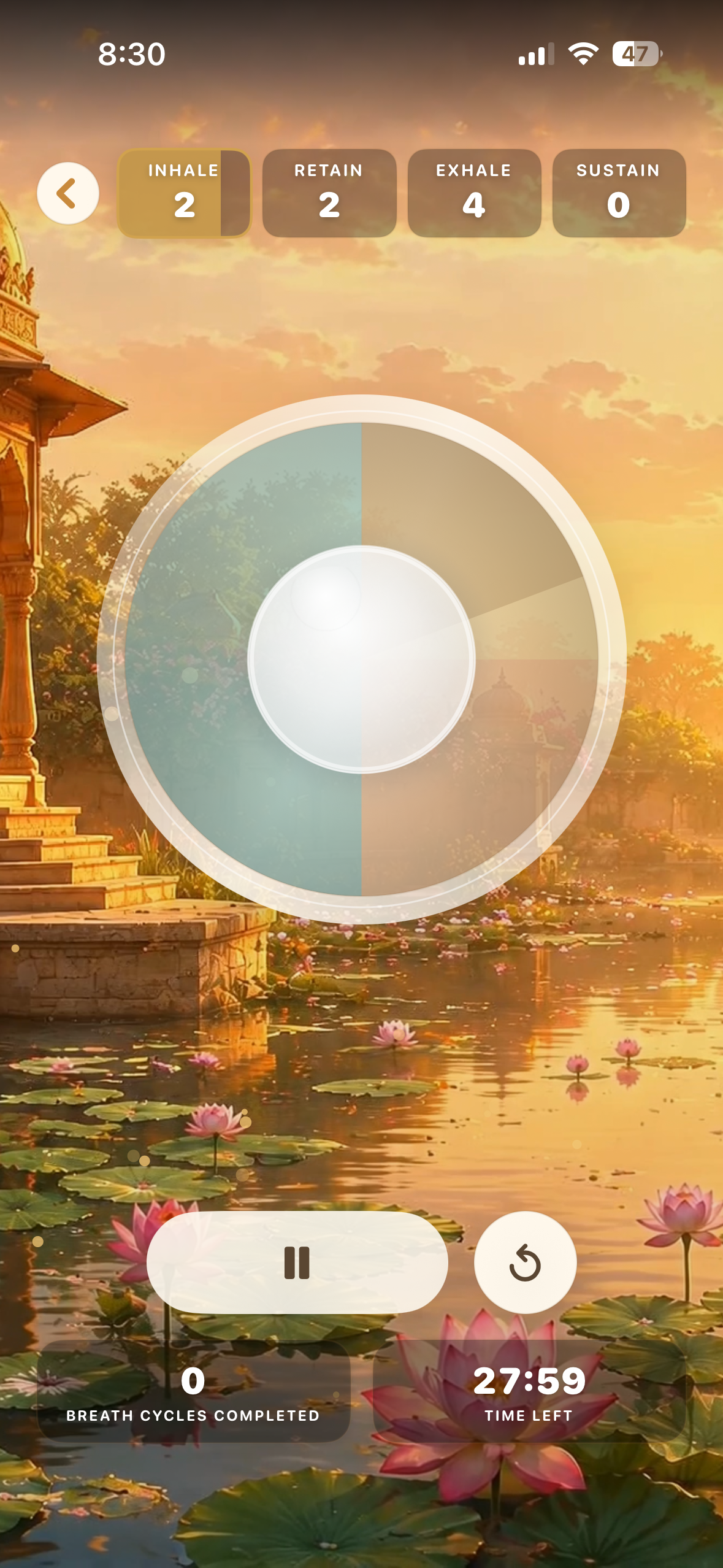
A breathing session can include four distinct phases: inhale, retain, exhale, and sustain.
During an active session, users shouldn't have to interpret a complicated interface to understand what comes next.
The redesigned training screen establishes a clearer hierarchy around the current phase, timing, breathing pattern, and session progress so users can understand the exercise at a glance.
Balancing guidance with customization
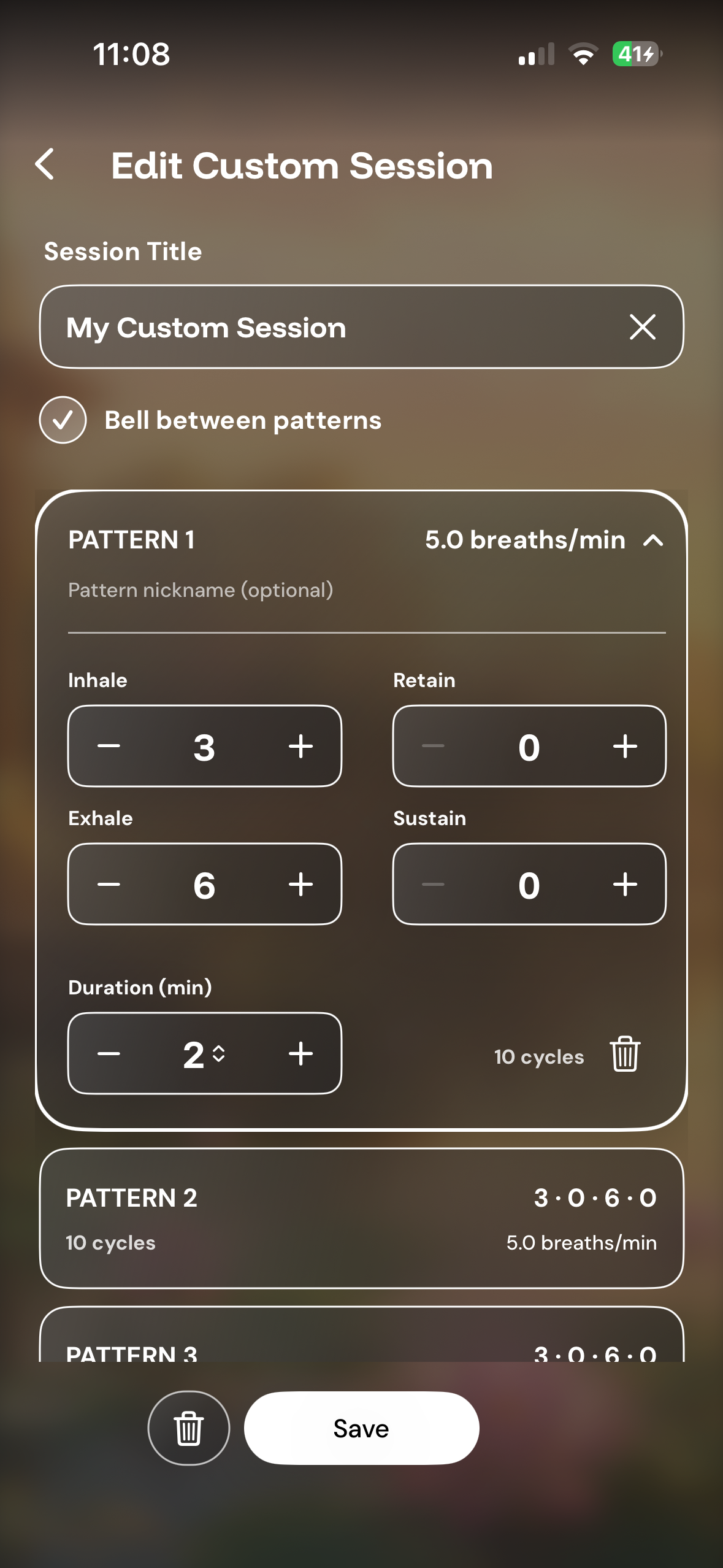
Some users want the app to tell them exactly what to do. Others want control over the structure of their practice.
Universal Breathing supports both through guided courses and customizable sessions, including the ability to create breathing patterns with different inhale, retain, exhale, and sustain durations.
The UX needed to make customization powerful without allowing configuration to complicate the core breathing experience.
Building a Cohesive System
Connecting training, practice, and progress.
The redesign extended beyond the active breathing screen.
Courses, custom sessions, training controls, progress tracking, settings, and personalization all needed to feel like parts of the same product.
Creating greater consistency across hierarchy, typography, controls, navigation, spacing, and visual language helped turn those individual features into a more cohesive experience.
The Final Experience
A modern interface for an ancient practice.
The redesigned Universal Breathing experience makes the depth of breath training more approachable without reducing it to a simple relaxation timer.
Users can begin with guided practice, progress through structured courses, customize their own breathing patterns, and track their practice over time—all within a more consistent and focused interface.
Outcome & Reflection
The redesign established a more contemporary UX/UI foundation for Universal Breathing while preserving the depth and flexibility that distinguishes it from simpler breathing apps.
The updated experience has gotten over 20,000 updates and downloads and creates clearer relationships between guided training, customizable practice, active sessions, and progress, giving the product a stronger foundation for continued development.
One of the most interesting challenges in redesigning Universal Breathing was finding the balance between making the product easier to understand and preserving the flexibility of a true breath-training tool.
The project reinforced the value of progressive disclosure: give users what they need in the moment while allowing the experience to reveal greater depth as their knowledge and practice grow.